 LinguaFlow
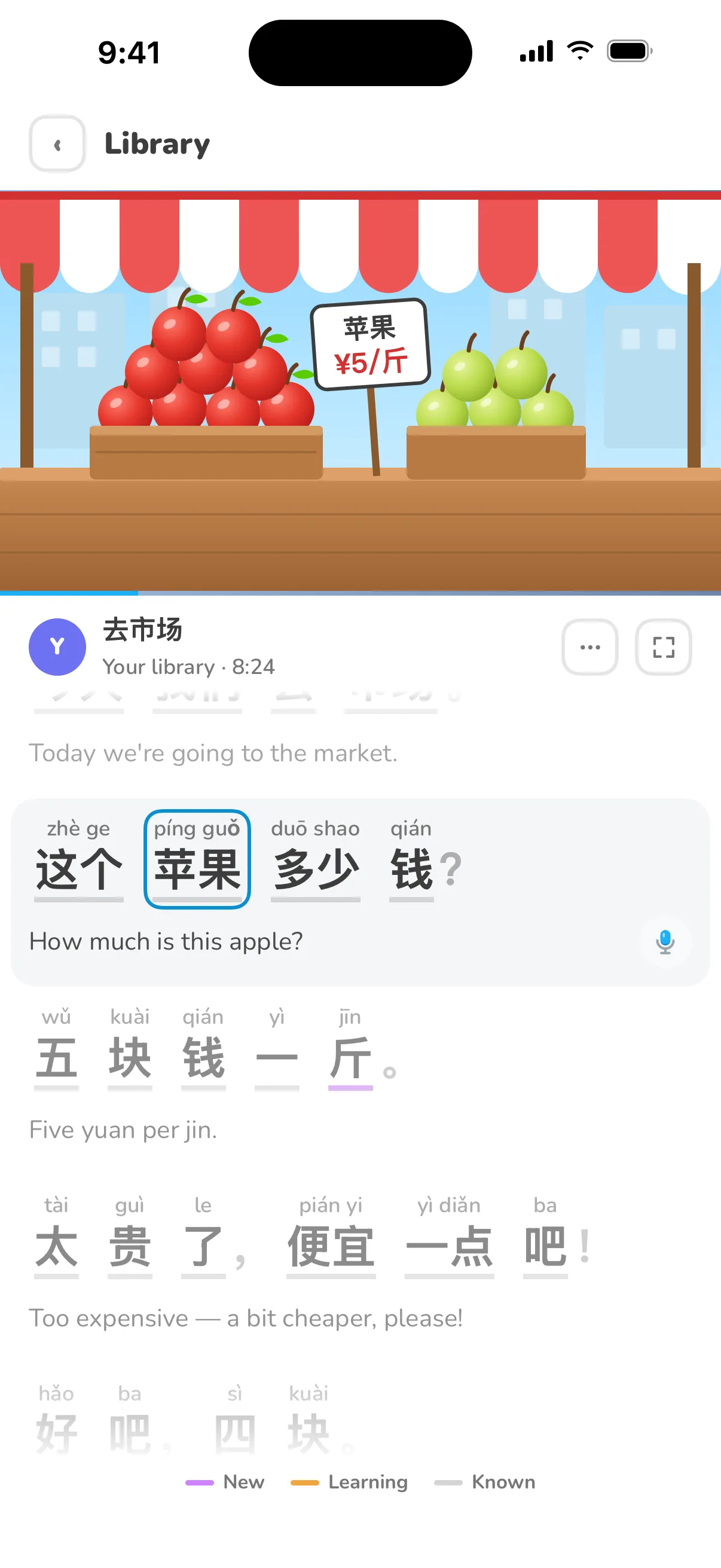

Learn Chinese from the videos you love.
Turn any video on your iPhone into a Mandarin lesson.
Free on iPhone · 7-day Pro trial
Three steps to your first lesson
 1
1Pick a video
Any MP4, MOV or M4V from Photos or Files.
 2
2Get subtitles
Pinyin and translation, made on your iPhone.
 3
3Watch and learn
Tap, ask, speak and save as you watch.

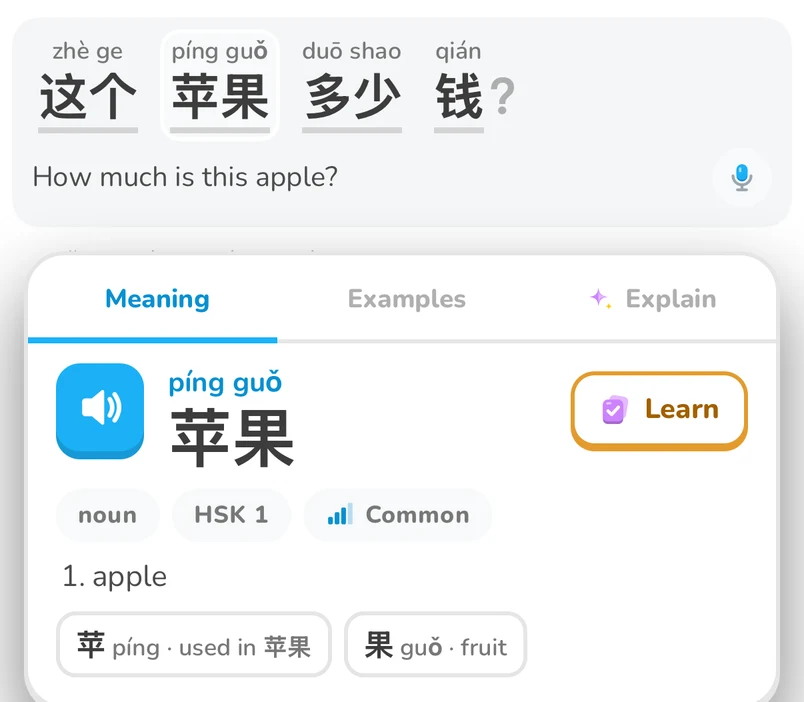
Tap any word
Pinyin, meaning and HSK level in one tap.

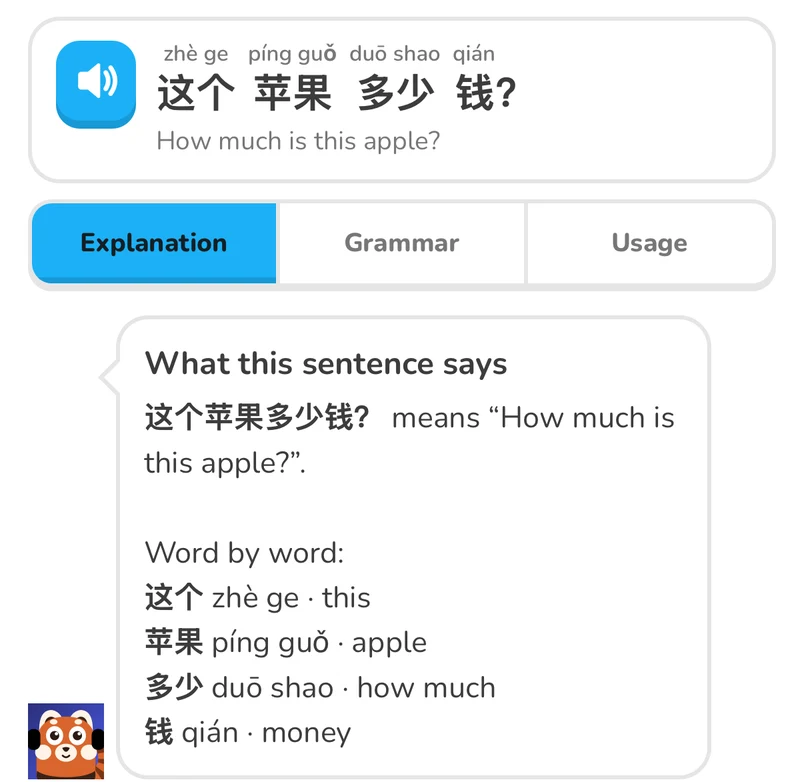
Ask Kit why
Grammar and usage, explained word by word. Still unsure? Just ask.
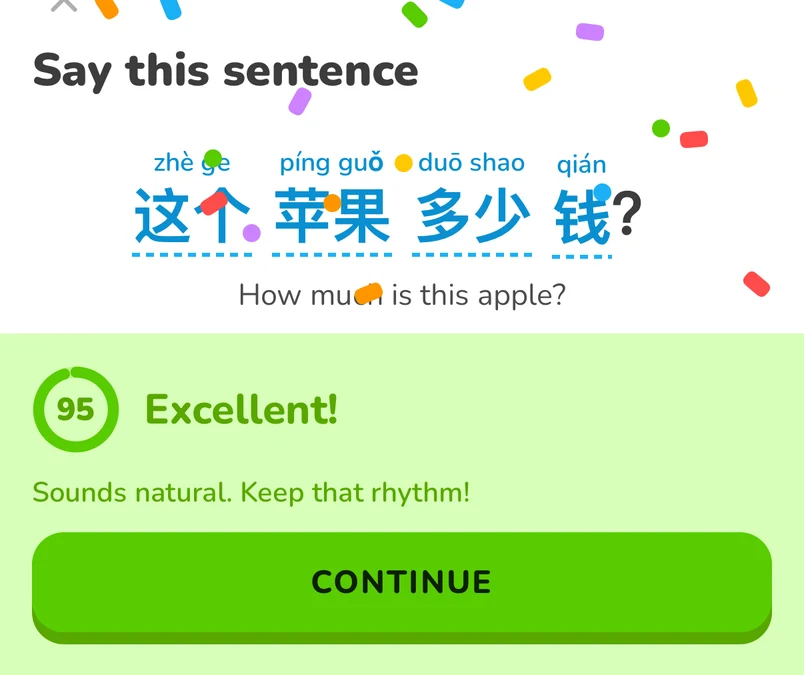
Say it out loud
Get a score and tips on your tones.


Review what you learn
Saved words come back with their scene.
Your videos stay on your iPhone
- Processed on your iPhone
- Only one sentence sent, as text
- Dictionary works offline
Free to start
Pro removes the limits.
Free
- 3 videos in your library
- 5 AI uses a day
- Dictionary and review, unlimited
Yearly: 7-day free trial
LinguaFlow Pro
- Unlimited videos
- Unlimited AI
- Everything in Free
US prices. The App Store shows the price in your currency.
Good to know
Which videos can I use?
Any MP4, MOV or M4V video you have on your iPhone, from Photos or Files. LinguaFlow doesn't download from YouTube or other sites, and MKV files aren't supported.
Is it for beginners?
Yes. Every word shows pinyin and its HSK level, Kit explains sentences in plain language, and you choose your level when you start.
Which languages are translations in?
Subtitles can be translated into 13 languages, including English, Bahasa Indonesia, Spanish, Japanese and Korean.
Does it work offline?
Watching, the dictionary, saved words and review work offline. AI explanations and pronunciation feedback need a connection.
How do I cancel Pro?
Pro is billed by Apple. Cancel any time in your iPhone's Settings, under your name, then Subscriptions.